Between your team and the registry
mShield evaluates package requests routed through it from developer workstations and CI runners. Existing internal repositories can remain part of your setup.
SaaS or on-prem: choose where mShield runs
The deployment model determines who operates mShield. The routing mode determines how package requests reach it.
SaaS
Use a hosted mShield endpoint. We operate the service; your team configures clients and manages package policies.
CloudKitty-operated service↓Upstream registry
Client configuration
Point package managers at your mShield endpoint.
DNS mode is not available in SaaS.
On-prem
Run mShield in your own environment. Your team manages the infrastructure, network access, and service operations.
Inside your infrastructure↓Upstream registry
Client configuration or DNS mode
Point clients at mShield, or route supported registry domains through it using internal DNS.
DNS mode is on-prem only. Your team configures internal DNS, routing, and the certificate trust required for HTTPS registry traffic. Package manager registry URLs can stay unchanged; network and trust setup are still required.
Agree the hosting location, access requirements, and decision-record storage before provisioning. See deployment guidance for setup options.
One request. A clear decision.
- Identify the package
Read the package name, version, and ecosystem from the request.
- Evaluate your policies
Check vulnerability thresholds, known malicious releases, license rules, and custom conditions.
A blocked install comes with a next step
The install fails when mShield refuses a package request. Where the package manager exposes the response, the developer sees the reason and a link to the block details.
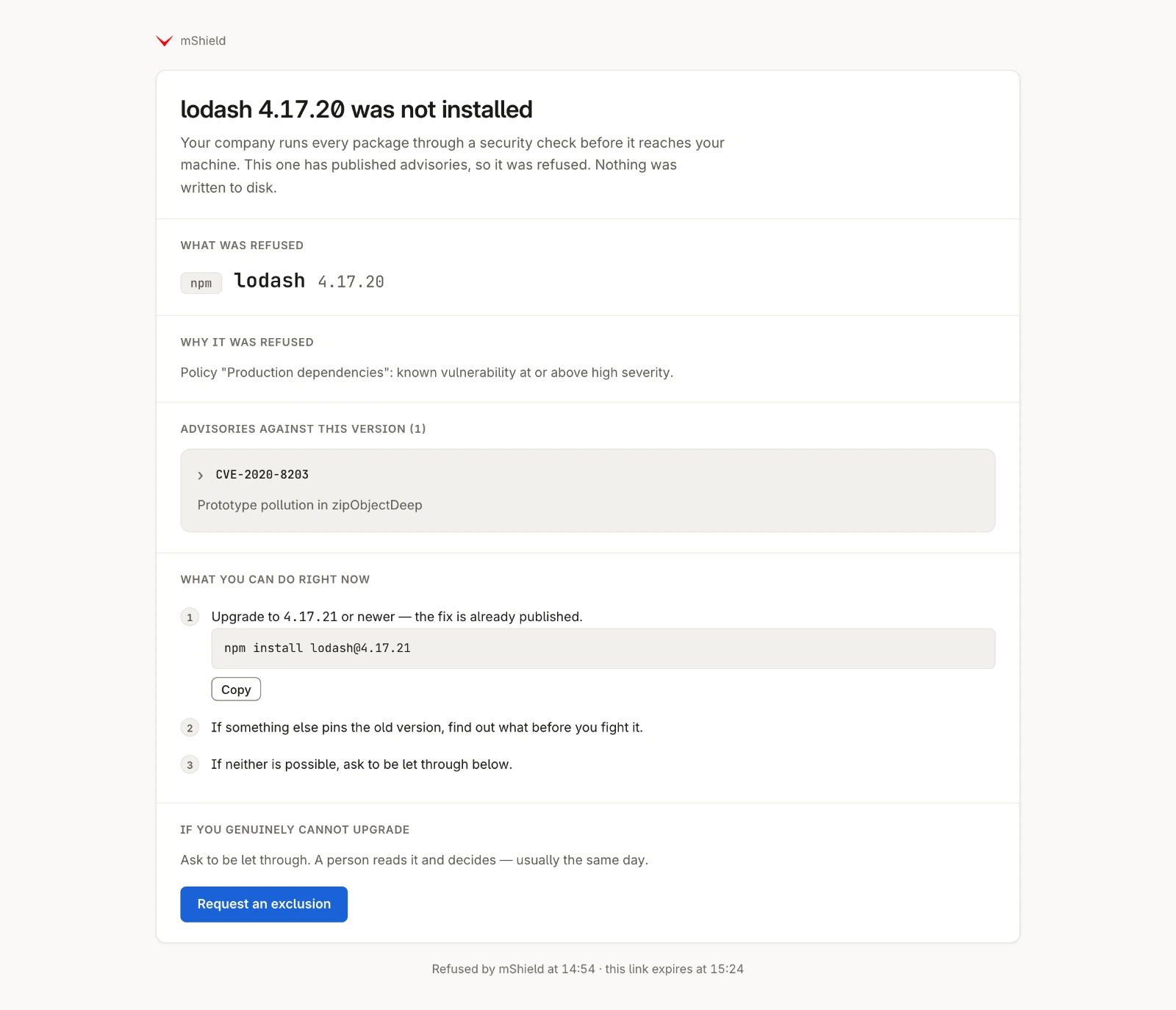
Deployments can disable the details link. Operators can still investigate the decision in the dashboard.
A record your team can investigate
Review allowed and blocked requests in the dashboard: the package, requester information, policy, and outcome. Use warning-mode findings to assess a new rule before enabling blocking.